Dataset Management for LLM Fine-Tuning
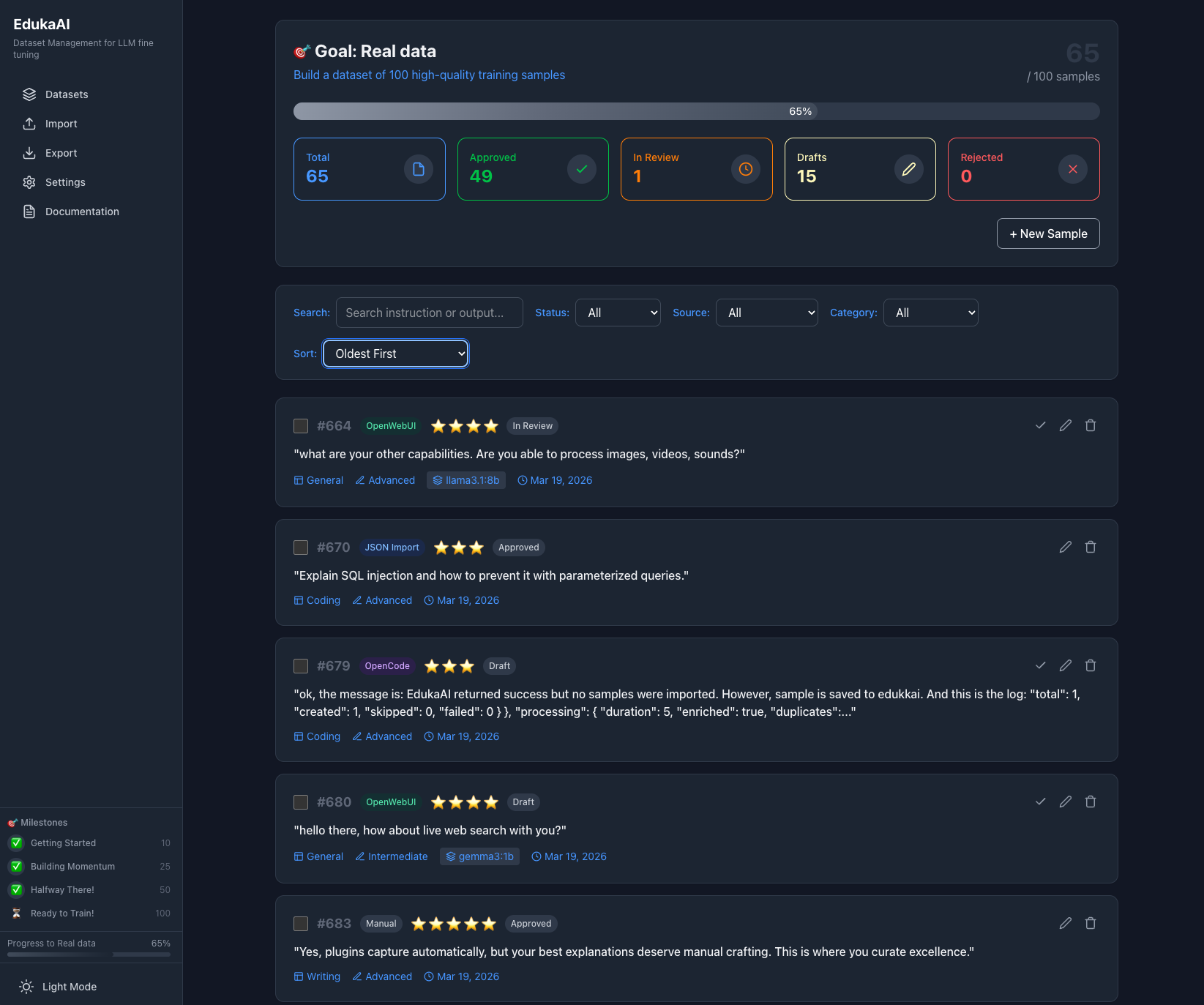
Import from files, live capture via API, or use plugins for OpenCode and OpenWebUI. Organize samples, manage quality, and export for fine-tuning. Free. Local. MIT licensed.
Get Launch Alert
EdukaAI is public beta software built with the #RapidMvpMindset: ship → learn → iterate. No feature bloat, no roadmap theater—just outcomes, lessons, and the next iteration. Get notified at v1.0.
One email only. No spam. Unsubscribe anytime.
Import Files
Import from JSONL, CSV, markdown, or text files. Bring in existing datasets, logs, or documents.
Live Capture
Capture data via REST API or use plugins for OpenCode and OpenWebUI. Stream conversations directly into your dataset.
Manage
Organize samples. Create question-answer pairs. Tag, categorize, filter. Review quality before training.
Export
Export in standard formats: Alpaca, ShareGPT, OpenAI, JSONL. Ready for Unsloth, Axolotl, TRL.
Learn Fine-Tuning
Creating Good Datasets
Guides on dataset quality, formatting, best practices. What makes training data effective. How to structure samples for different model types.
Read GuideHow to Fine-Tune
Step-by-step tutorials for fine-tuning models. Using Unsloth, Axolotl, TRL, OpenAI. Local training for free with open-weight models.
Read GuideTechnical Details
Open Source
MIT licensed. Source on GitHub. Community contributions welcome.
Local-First
Runs locally. No cloud required. Data stays on your machine. Privacy by default.
CLI + Web UI
Command line for automation and scripting. Web UI for visual review and management.
Standard Formats
Alpaca, ShareGPT, OpenAI, JSONL. Works with Unsloth, Axolotl, TRL, and other frameworks.
Frequently Asked
Does it integrate with other tools?
Yes. Plugins available for OpenCode (terminal AI) and OpenWebUI (web interface). Also accepts data via REST API for custom integrations.
Is it free?
Yes. MIT licensed open source. No payment, no registration, no limits.
Does it train models?
No. It manages datasets. Export and use Unsloth, Axolotl, TRL, or OpenAI for training.
What can I import?
Files: JSONL, CSV, markdown, text. Or live capture from API endpoints.
Who is it for?
Technical users fine-tuning LLMs. Engineers, researchers, developers. Requires command line basics.
Get Started
Install via npm or download from GitHub. Read the guides to learn dataset creation and fine-tuning.